Everything you need, all in one place.
Whether you need to set something up, figure out how something works or protect your account, you’re in the right place. From managing transfers and setting up bill pay to enabling push notifications and going paperless with eStatements, everything you need to get the most out of your Firefighters First membership is organized and ready for you here.


Digital banking.
Everything you need to get the most out of Online Banking and Mobile Banking, from setting up your account to managing your day-to-day finances.
Digital Wallet.
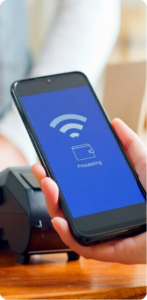
Set up Apple Pay, Google Pay or Samsung Pay and start making contactless payments with your Firefighters First card.
Push Notifications.
Stay informed with real-time alerts for account activity, transactions and important updates sent directly to your phone.
Remote Check Deposit.
Deposit a check from anywhere using your phone’s camera. No branch visit required.
Bill Pay.
Schedule and manage bill payments directly from Online Banking without writing a check or logging into multiple sites.
eStatements.
Go paperless and access your account statements securely online anytime.



Account management.
Keep your account information current and understand the tools available to you as a member.
Account Maintenance.
Update your contact information, manage beneficiaries and keep your account details current.
Credit Card Account Number.
Find your full credit card account number for setting up payments or automatic billing.
Foreclosure Prevention.
If you’re facing financial hardship and are concerned about your mortgage, we have resources and support available to help.


Transfers and payments.
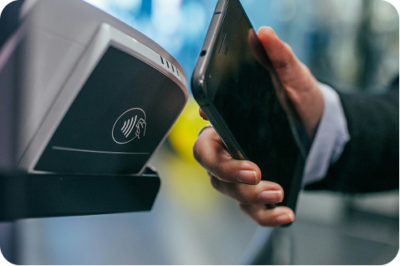
Move money the way you need to, whether it’s between your own accounts, to another institution or across the country.
Transfers.
Move money between your Firefighters First accounts or to an external account quickly and securely.
Wire Transfers.
Send funds securely to another financial institution domestically or internationally.
Loan Payment from External Account.
Pay your Firefighters First loan using a bank account from another financial institution.



Fraud protection.
Fraud happens fast. This section gives you the knowledge and tools to recognize it, respond to it, and recover from it.
Identity Theft.
Understand what identity theft looks like, how to respond and how to protect yourself going forward.
Data Compromise.
Find out what to do if your personal information has been exposed in a data breach.


Digital Security.
Small habits make a big difference. This section covers everything from setting up two-factor authentication to staying safe at the ATM.
Two-Factor Authentication (2FA).
Add an extra layer of protection to your login in just a few steps.
ATM Security.
Know what to look for at the ATM and how to protect your card and PIN.
Credit and Debit Card Security.
Monitor, protect and control your cards, including how to lock them instantly if needed.
Mobile Banking Security.
Keep your account safe when banking from your phone.
Online Banking Security.
Best practices for logging in, managing credentials and staying protected on any device.
Secure Email.
Understand how Firefighters First uses secure email to protect your sensitive information.

MEMBER DISCOUNTS
More fun for less.
Your Firefighters First membership goes further than banking. Through TicketsatWork, enjoy exclusive discounts on theme parks, hotels, rental cars and more, then earn cashback with your Firefighters First credit card.
Financial calculators.
Run the numbers before you make a decision. Our calculators cover everything from auto loans to retirement planning.







Everything you need to know about our help center.
How do I find what I’m looking for in the Help Center?
Browse by category above. Each section covers a specific area, from digital banking and transfers to fraud and security. If you’re not sure where to start, the categories at the top of this page will point you in the right direction.
How do I set up Mobile Banking?
Download the official Firefighters First app from the App Store or Google Play. From there, you can log in with your Online Banking credentials or enroll directly in the app.
How do I reset my Online Banking password?
On the login page at www.firefightersfirstcu.org, select the option to reset your password. You’ll be prompted to verify your identity using your email address or phone number on file. If you’re locked out or need additional help, contact us.
What should I do if I think my account has been compromised?
Act quickly. Lock your card in Mobile Banking, then contact us immediately. You can also visit our Fraud Protection page for a full breakdown of next steps.
Can I make a loan payment from a different bank account?
Yes. You can make a payment toward your Firefighters First loan using an external bank account. Visit our loan payment page for step-by-step instructions.
How do I send a wire transfer?
Wire transfers can be initiated by contacting us directly or visiting a branch. Visit our wire transfer page for details on what you’ll need and how the process works.
Who do I contact if I can’t find what I need?
Our team is always available to help.
How do I go paperless and set up eStatements?
You can enroll in eStatements directly through Online Banking. Once enrolled, you’ll receive an email notification each time a new statement is ready to view. Going paperless is a simple way to reduce clutter and keep your statements accessible and secure in one place. Visit our eStatements page for step-by-step instructions.
How do I set up two-factor authentication on my account?
Two-factor authentication (2FA) can be enabled through your Online Banking security settings. Once set up, you’ll receive a one-time verification code each time you log in, adding an extra layer of protection to your account. It takes just a few minutes and we strongly recommend it. Visit our 2FA page for a full walkthrough.