
-
Jump to:
Real-time card control, right when you need it most.
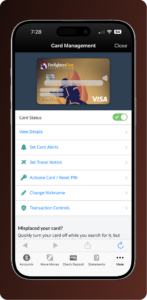
Managing your card should not require a phone call or a branch visit. Card Management puts real-time control directly in your hands through the FireFirstCU mobile app or Online Banking. Whether you need to lock a misplaced card, adjust spending limits or stay on top of recent transactions, the tools you need are within reach.
Card management benefits.
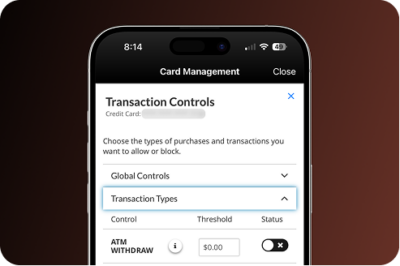
Simple to use and built with protection in mind. Here’s what Card Management puts at your fingertips.
Lock or unlock your card.
Lock or unlock your card in seconds, no branch visit or phone call needed. Whether your card is missing or you just want extra peace of mind, a single tap puts you back in control instantly.
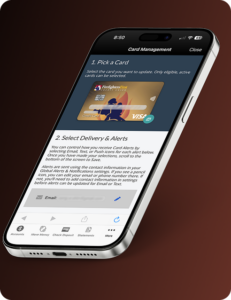
Transaction alerts.
Get notified the moment your card is used so nothing catches you off guard. Real-time alerts help you stay on top of every purchase and act quickly if something does not look right.
Set travel notices.
Let us know when you are traveling to help keep your card working wherever the trip takes you. Setting a travel notice takes just a moment and helps prevent unnecessary interruptions while you are away from home.
View card details.
Access your card number, expiration date and security code anytime directly from your account. No need to dig out your physical card when you need to make a purchase or update a subscription.

DIGITAL WALLET
Pay smarter with your digital wallet.
Add your card to your digital wallet for a faster, more secure way to pay. Each transaction uses advanced encryption and unique codes, so your card number is never shared with merchants. Pay in stores, online or in apps with confidence.
Everything you need to know about card management.
Can I lock my card if I think it’s lost?
Yes. You can lock your card instantly from the app or Online Banking. If you find it, you can unlock it just as easily. If it turns out to be stolen, contact us and we’ll get a replacement started.
Will locking my card cancel it?
No. Locking your card is temporary. It simply prevents new transactions while your card is locked. Unlocking it restores everything to normal.
Can I set alerts for every transaction?
Yes. You can set up real-time alerts so you’re notified every time your card is used. You can customize your alert preferences to fit how you use your card.
Do I need to set a travel notice before I leave?
It’s a good idea. Setting a travel notice before you travel helps prevent your card from being flagged for unusual activity while you’re away, so your transactions go through without interruption.
Who can manage card controls?
Only the primary Firefighters First member can manage card controls in digital banking.
Is Card Management secure?
Yes. Card Management uses the same encryption and security standards that protect all of your Online Banking activity. Your card details and settings are protected every step of the way.
How do I access Card Management?
You can find Card Management in the FireFirstCU app or Online Banking.