
-
Jump to:
Your complete financial picture. Built into online banking for free.
Money Management is a free budgeting and planning tool built directly into your Firefighters First Online Banking account. Connect all your accounts, including outside institutions, to track spending, build budgets, pay down debt, monitor your net worth and plan for future goals. Your Firefighters First accounts are added automatically. Everything else connects in just a few steps.

Track your spending patterns month by month.
Track your spending patterns over time. View expenses by category across the past three months to one year, or focus on specific months within a selected timeframe to identify longer-term trends.

Your expenses. Categorized and clear at a glance.
See exactly where your money is going each month. Use the date selector to review spending over a specific time period and identify areas where you can cut back.

Stop paying more interest than you have to.
Set payoff goals and build a debt payoff strategy. Add outside accounts to see all your debts in one place. Prioritize high-interest debt to pay it down faster and reduce the total interest you pay over time.

Your goals, your timeline. Adjust until it works.
Set savings, debt and retirement goals and define how much you will contribute each month. Adjust contribution amounts to see how they affect your timeline and use the time slider to project your progress at any point in the future.
Other money management features.
Here are other features inside Money Management, from tracking your transactions to projecting your net worth over time.
Accounts.
Your Firefighters First accounts are automatically added to Money Management. View loans, credit cards, investments and more. You can also add accounts from other financial institutions to build a complete financial picture in one place.
Transactions.
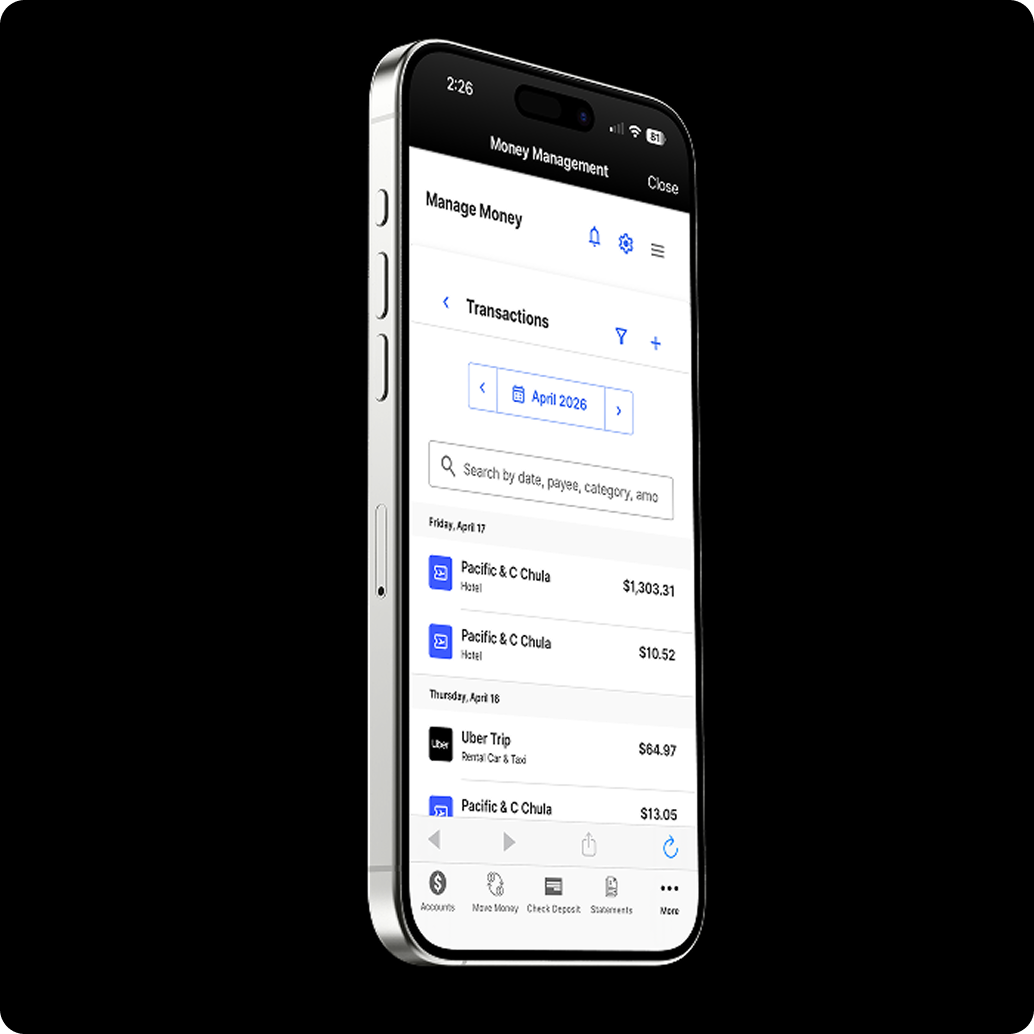
All transactions across your connected accounts appear in one unified feed, automatically categorized by type. You can recategorize, rename or add a memo to any transaction. For uncategorized transactions, select “Categorize” when prompted to sort them quickly.
Budgets.
Money Management creates a visual budget based on your past spending, which you can adjust to match your goals. Budget categories are displayed as bubbles so you can quickly see what is on track and what needs attention. Green means you are within your budget, yellow means you are approaching your limit and red means you have exceeded it. Set alerts to get notified before you go over.
Net Worth.
Get a full picture of your net worth by adding all accounts, properties, vehicles and other assets alongside your liabilities. Use the date range selector to track how your net worth has changed over time.
Cash Flow.
See all income and expenses on a given day, including projected future activity. Use Cash Flow to plan ahead for large purchases and make sure the funds will be there when you need them.